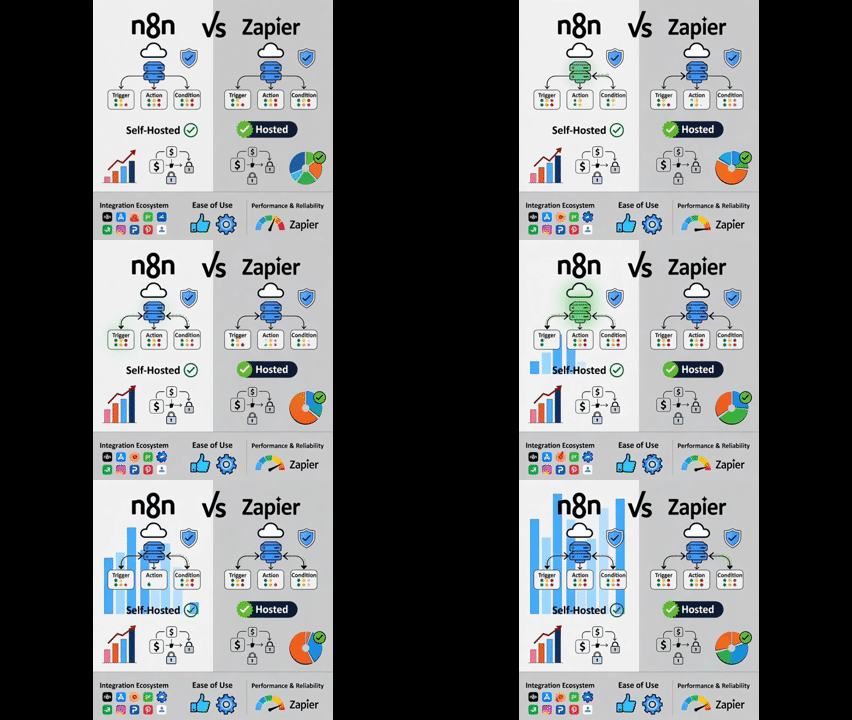
Executive Summary: The 2025 Automation Platform Landscape
In today's digital transformation era, choosing the right automation platform can significantly impact your organization's efficiency, scalability, and compliance posture. The competition between n8n and Zapier represents a fundamental choice between managed convenience and self-hosted control. This comprehensive guide examines every aspect from pricing models and integration ecosystems to security compliance and enterprise readiness, helping you make an informed decision based on your specific technical requirements, team composition, and business objectives.
Quick Verdict for 2025
Choose Zapier if you need the easiest, fastest path to connect hundreds-to-thousands of apps with minimal engineering — especially for marketing, sales and general productivity automations. Zapier is the best fit for non-technical teams who want fast time-to-value with a fully managed automation service.
Choose n8n if you want full control (self-hosting/data residency), advanced customization, or cheaper scale for heavy/complex automations — especially when you want developer-friendly extensibility or must host inside the EU/Belgium for compliance with GDPR and data sovereignty regulations.
Below I'll walk through a point-by-point comparison covering pricing models, hosting options, integration ecosystems, developer experience, performance limits, security compliance, real-world use cases, and migration guidance to help you make the optimal choice for your team's specific needs.
1) The Fundamental Difference: Hosted Convenience vs. Control
Zapier: Managed SaaS-First Automation
Zapier is a managed, SaaS-first automation platform focused primarily on non-technical users. It prioritizes discoverability, prebuilt connectors, templates and a polished drag-and-drop editor. This approach means less setup time and faster ROI for business teams looking to automate common workflows without engineering involvement.
Key Characteristics:
-
Zero-infrastructure management - Zapier handles all backend operations
-
Extensive template library with thousands of pre-built automation recipes
-
Progressive onboarding that guides users from simple to complex workflows
-
Enterprise-grade reliability with 99.9% uptime SLAs for business plans
n8n: Developer-First Workflow Engine
n8n started as an open/fair-code workflow engine you can self-host or run on their cloud. Its philosophy is "developer-first automation": workflows are highly customizable, you can write code inside nodes, and you can host your own instance for complete data control. The project is available on GitHub under a fair-code license, enabling both community contributions and enterprise customization.
Key Characteristics:
-
Self-hosting capability for complete data control and infrastructure management
-
Code-level customization with JavaScript/Python nodes for complex logic
-
Docker-native deployment for containerized infrastructure environments
-
Git integration for version control and collaborative workflow development
Strategic Implications:
If your business needs to keep data inside EU infrastructure (GDPR/data residency) or requires private network access to internal APIs, self-hosting n8n (or using their EU cloud regions) provides a practical compliance solution. If you need turnkey automation for common SaaS apps without data residency concerns, Zapier typically offers faster adoption and lower initial setup complexity.
2) Pricing Model Deep Dive — Executions vs Tasks
n8n Pricing Structure (2025)
n8n cloud pricing charges by workflow executions and emphasizes "unlimited users & workflows" across all plans. The execution-based model provides predictable costs for high-volume automation scenarios.
n8n Cloud Plans (2025):
-
Starter Plan: $20/month - 400 executions, basic triggers
-
Professional Plan: $60/month - 2,000 executions, advanced features
-
Enterprise Plan: Custom pricing - 10,000+ executions, dedicated support
Self-Hosted Options:
-
Community Edition: Free (self-hosted)
-
Enterprise Edition: $4,500/year (self-hosted with enterprise features)
Cost Advantage: For organizations with many multi-step workflows, n8n's execution-based pricing typically proves more cost-effective than per-action billing, especially when workflows involve numerous internal processing steps or custom logic.
Zapier Pricing Structure (2025)
Zapier pricing is based on tasks (each step/action consumes tasks) with tiered plans that include specific task limits. Exceeding plan limits triggers pay-per-task billing, which can lead to unpredictable cost spikes for high-volume automations.
Zapier Plans (2025):
-
Starter Plan: $19.99/month - 750 tasks/month
-
Professional Plan: $49/month - 2,000 tasks/month
-
Team Plan: $69/month - 5,000 tasks/month
-
Enterprise Plan: Custom pricing - 50,000+ tasks/month
Cost Considerations: The per-task model can become expensive for complex, multi-step workflows where each automation might consume 5-10 tasks per execution. Organizations should carefully monitor task usage and implement optimization strategies to control costs.
Practical Financial Takeaway:
For large numbers of multi-step workflows, Zapier's per-task billing can become expensive quickly; n8n (self-hosted or cloud with execution quotas) tends to provide more predictable cost scaling — especially when many actions involve internal processing or custom logic that doesn't incur external API costs.
3) Integrations & Ecosystem Comparison
Zapier Integration Ecosystem
Zapier boasts approximately 7,000+ integrated applications with an enormous library of prebuilt "Zaps" and templates covering spreadsheets, CRMs, social platforms, and productivity tools. Its extensive marketplace and large user base make it highly likely that connectors for your required applications already exist and are well-maintained.
Integration Strengths:
-
Pre-built application connectors for virtually all popular SaaS platforms
-
Template marketplace with thousands of community-contributed workflows
-
Regular connector updates maintained by Zapier's dedicated integration team
-
OAuth handling simplified across all connected applications
n8n Integration Approach
n8n offers hundreds of native integrations with rapid growth in its connector library. Since it's open-source, development teams can easily add or code custom nodes for proprietary systems. The tradeoff: some connectors may require more configuration or custom coding compared to Zapier's plug-and-play approach, though n8n's growing marketplace and community templates help bridge this gap.
Integration Strengths:
-
Custom node development for proprietary or internal systems
-
HTTP request nodes for connecting to any REST API
-
Database connectors for direct data source integration
-
Community-contributed nodes expanding the native integration library
Integration Decision Framework:
If your automation relies primarily on popular SaaS applications (Salesforce, HubSpot, Slack, Google Workspace), Zapier provides the fastest onboarding experience. If you need to connect to internal APIs, custom protocols, or proprietary systems, n8n's code nodes and self-hosted networking capabilities offer superior flexibility and control.
4) Ease of Use & Target User Personas
Zapier: Citizen Developer Focus
Zapier is intentionally designed for citizen automators: marketing professionals, operations staff, customer success teams, and other non-technical users. Building a Zap follows an intuitive, guided process with minimal coding required. The platform offers a polished user experience for branching logic, data filters, error handling, and automatic retries.
User Experience Highlights:
-
Visual workflow builder with drag-and-drop interface
-
Step-by-step templates for common automation patterns
-
Built-in data mapping with field suggestions and transformations
-
Testing environment for safe workflow validation before production
n8n: Technical User Orientation
n8n provides a more developer-friendly environment: the visual canvas is powerful and flexible, but many advanced features assume technical expertise (JavaScript code nodes, environment variables, Docker deployment). While non-technical users can build basic workflows, complex automation scenarios typically benefit from engineering support or developer involvement.
User Experience Highlights:
-
Code editor integration for custom JavaScript/Python logic
-
Environment variable management for configuration separation
-
API testing tools built directly into the interface
-
Advanced error handling with custom retry configurations
Team Composition Recommendation:
Small teams with primarily non-technical workflow owners should lean toward Zapier for its lower learning curve and faster time-to-value. Engineering teams that want to embed workflows into product backends or maintain automation as code should choose n8n for its extensibility and development workflow integration.
5) Performance, Limits & Scalability
Zapier Performance Characteristics
Zapier enforces task limits and implements rate-limiting on webhooks and API calls to maintain platform stability. High-frequency webhook traffic can trigger throttling mechanisms, which may impact automation reliability for event-heavy use cases. Organizations with bursty, high-volume event processing needs should carefully evaluate Zapier's throttling behavior and per-task pricing implications.
Key Limitations:
-
Webhook rate limiting for high-frequency event sources
-
Execution timeouts for long-running processes
-
Concurrent execution limits based on plan tier
-
Data transfer limits for large file processing
n8n Scalability Approach
n8n self-hosted performance depends entirely on your infrastructure design and resource allocation. Organizations can scale horizontally by deploying additional worker containers and implement custom concurrency controls and queueing mechanisms. While self-hosting requires operational overhead, it enables architectures capable of handling significantly higher throughput than typical managed services.
Scaling Advantages:
-
Horizontal scaling through container orchestration
-
Custom queue configuration for priority-based processing
-
No inherent rate limiting beyond your infrastructure constraints
-
Database optimization tailored to your specific workload patterns
Performance Decision Factor:
If you anticipate high event volumes (IoT telemetry, high-frequency webhooks, real-time data processing), self-hosting n8n or using their scalable cloud plans typically provides better cost efficiency and reliability than Zapier's constrained execution model.
6) Security, Compliance & Data Residency
n8n Security Capabilities
n8n's self-hosted deployment option provides complete data control, enabling organizations to store automation data behind their VPC in GDPR-compliant regions. The enterprise edition adds Single Sign-On (SSO), Git integration, and advanced role-based access controls. The open-source foundation facilitates security auditing and customization to meet specific compliance requirements.
Security Features:
-
Self-hosted deployment for air-gapped environments
-
End-to-end encryption for data in transit and at rest
-
Audit logging for compliance and security monitoring
-
Role-based access control (RBAC) for team permissions
Zapier Security Framework
Zapier's enterprise offerings include SSO, SCIM provisioning, and comprehensive security certifications (SOC 2, ISO 27001). As a SaaS provider, Zapier manages infrastructure security, but customers must accept third-party data residency constraints unless they negotiate specific regional hosting agreements through enterprise contracts.
Security Features:
-
Enterprise-grade certifications and compliance reporting
-
Data encryption both in transit and at rest
-
Network security with DDoS protection and WAF
-
Security monitoring with 24/7 threat detection
Corporate Compliance Advice:
For regulated industries (financial services, healthcare, government) that require EU/Belgium-based processing agreements or specific data sovereignty guarantees, n8n self-hosting or EU-hosted vendor solutions often become necessary compliance requirements rather than optional preferences.
7) Extensibility & Developer Experience
n8n Development Capabilities
n8n is fundamentally built for extensibility and developer integration. Teams can create custom nodes, execute JavaScript/Python code within workflow nodes, and integrate with CI/CD pipelines through Git in enterprise plans. The open-source repository and active community enable deep customization and organization-specific adaptations.
Developer Features:
-
Custom node development with TypeScript/JavaScript
-
Code execution nodes for complex business logic
-
API development tools for building custom triggers
-
Webhook customization for advanced event handling
Zapier Development Options
Zapier offers code steps (JavaScript/Python), webhook integrations, and a developer platform for building private or public integrations. While these capabilities provide significant flexibility, they remain more constrained than self-hosted solutions regarding network access, internal API connectivity, and infrastructure customization.
Developer Features:
-
Zapier CLI for development workflow automation
-
Code apps for custom integration logic
-
Webhook builders for custom trigger creation
-
Platform SDK for integration development
Extensibility Summary:
If your organization needs to embed automation directly into product logic, maintain workflows as code artifacts, or integrate with proprietary systems, n8n provides superior extensibility. For rapid application integration with minimal engineering overhead, Zapier offers better out-of-the-box functionality.
8) Observability, Debugging & Operations
Zapier Operational Management
Zapier provides a polished, intuitive interface for monitoring Zap executions, reviewing logs, managing retries, and troubleshooting failures. The platform is specifically designed for operational ease, with enterprise plans including comprehensive audit logs and administrative controls for larger organizations.
Operational Features:
-
Visual execution history with status indicators
-
Detailed error reporting with suggested resolutions
-
Performance analytics for workflow optimization
-
Team management tools for multi-user environments
n8n Operational Approach
n8n offers local logging, worker metrics, and integration capabilities with existing observability stacks (Prometheus/Grafana, ELK, Datadog). While debugging can be more technically demanding, it provides greater flexibility for organizations with established DevOps practices and monitoring requirements.
Operational Features:
-
Custom logging integration with existing SIEM solutions
-
Performance metrics export to monitoring platforms
-
Database query access for advanced troubleshooting
-
Container-level monitoring for self-hosted deployments
Operations Tradeoff Analysis:
Zapier significantly reduces operational overhead through managed services and intuitive interfaces. n8n requires greater DevOps investment but integrates more seamlessly into professional monitoring stacks and existing operational workflows.
9) Community, Support & Ecosystem Development
Zapier Community Resources
Zapier maintains a large, active user community with extensive template libraries, comprehensive documentation (Zapier University), and rapid discovery of solutions for common automation patterns. The platform's maturity ensures most integration challenges have existing community solutions or documented workarounds.
Community Assets:
-
Zapier University with structured learning paths
-
Community forum with active user participation
-
Template library with thousands of pre-built workflows
-
Expert network for implementation assistance
n8n Community Development
n8n fosters an active developer community through public forums, GitHub issue tracking, and community-contributed templates and nodes. This approach particularly benefits companies that want to contribute to platform development, extend functionality, or adapt the tool to specific use cases.
Community Assets:
-
GitHub repository with active issue discussion
-
Community forum for user support and knowledge sharing
-
Node development guides for custom integration creation
-
Regular community events and contributor recognition
10) Real-World Use Cases & Recommendations
Choose Zapier When:
Marketing Automation Scenarios:
-
Lead scoring and routing from forms to CRM systems
-
Social media cross-posting and content distribution
-
Email marketing automation based on user behavior triggers
-
Content calendar synchronization across multiple platforms
Sales Operations:
-
Contact synchronization between marketing and sales systems
-
Meeting scheduling and calendar management automation
-
Sales notification systems for opportunity tracking
-
Commission calculation and reporting automation
General Business Productivity:
-
Document generation from template systems
-
Notification and alert routing for team coordination
-
Data entry automation between disparate systems
-
Report generation and distribution workflows
Choose n8n When:
Technical and Development Scenarios:
-
Custom API orchestration for proprietary systems
-
Data transformation pipelines with complex business logic
-
Internal tool automation requiring network access
-
DevOps workflow automation and deployment pipelines
Compliance-Sensitive Environments:
-
Healthcare data processing with HIPAA compliance requirements
-
Financial transactions with regulatory reporting needs
-
Government systems with specific data sovereignty mandates
-
Research data processing with privacy protection requirements
High-Volume Processing:
-
IoT data aggregation and real-time processing
-
E-commerce order processing with inventory synchronization
-
Customer data synchronization across multiple databases
-
Log processing and security event correlation
11) Migration & Hybrid Implementation Strategies
Dual Platform Approach
Organizations don't necessarily need to choose exclusively one platform over the other. A strategic hybrid approach can leverage the strengths of both systems:
Recommended Hybrid Strategy:
-
Prototype in Zapier for rapid validation and business user development
-
Migrate heavy or sensitive pipelines to n8n self-hosted for cost control and compliance
-
Maintain Zapier for citizen developer workflows with non-sensitive data
-
Use n8n for technical workflows requiring custom logic or internal system access
Migration Methodology
Successfully migrating workflows between platforms requires careful planning and execution:
Migration Best Practices:
-
Comprehensive workflow documentation capturing all triggers, actions, and transformation logic
-
Data mapping exercise to identify all field transformations and dependencies
-
Staged migration approach with parallel running during transition periods
-
Validation testing with representative data samples and edge cases
-
Performance benchmarking to ensure service level requirements are maintained
Implementation Framework:
text
Business Workflow Assessment → Platform Selection → Implementation → Validation → Optimization
12) Decision Framework & Recommendation Matrix
| Decision Question | Choose Zapier | Choose n8n |
|---|---|---|
| Need fastest time-to-value for non-technical users | ✅ | |
| Require self-hosted deployment for data residency | ✅ | |
| Expect high execution volume with cost sensitivity | ✅ | |
| Need thousands of pre-built SaaS connectors | ✅ | |
| Want workflows as code with CI/CD integration | ✅ | |
| Prefer fully managed service with low operations overhead | ✅ | |
| Have complex data transformation requirements | ✅ | |
| Operate in regulated industry with compliance mandates | ✅ | |
| Limited technical resources for platform management | ✅ | |
| Need custom integration with proprietary systems | ✅ |
13) 2025 Platform Evolution & Roadmap
Zapier Strategic Direction
Zapier continues to focus on AI-enhanced automation with features like natural language workflow creation, intelligent field mapping, and predictive automation suggestions. The platform is expanding its enterprise capabilities with enhanced governance, centralized management, and deeper integration with business intelligence platforms.
n8n Development Trajectory
n8n is advancing its cloud offerings with improved scalability, enhanced monitoring, and enterprise features while maintaining its open-source foundation. The platform is investing in workflow testing frameworks, collaboration features, and enhanced developer tools for complex automation scenarios.
14) Implementation Cost Analysis
Total Cost of Ownership Considerations
Beyond platform subscription costs, organizations should evaluate:
Zapier TCO Factors:
-
Subscription costs based on task volume
-
Training investment for business users
-
Integration maintenance for connector updates
-
Compliance validation for data handling practices
n8n TCO Factors:
-
Infrastructure costs for self-hosted deployment
-
Development resources for customizations and maintenance
-
Operations overhead for monitoring and management
-
Security compliance for self-managed environments
ROI Calculation Framework:
(Benefits: Time Savings + Error Reduction + Process Acceleration) - (Costs: Platform + Implementation + Operations)
Conclusion: Strategic Automation Platform Selection
The choice between n8n and Zapier represents a fundamental strategic decision about how your organization approaches automation. Zapier delivers immediate productivity gains through accessible, managed automation for common business processes, while n8n provides long-term flexibility and control for technically complex or compliance-sensitive scenarios.
Final Recommendation:
-
Startups and SMBs with limited technical resources typically achieve faster value with Zapier
-
Enterprises and technical organizations often benefit from n8n's flexibility and cost control at scale
-
Regulated industries frequently require n8n's self-hosting capabilities for compliance
-
Hybrid approaches can provide the best of both worlds for organizations with diverse automation needs
The optimal choice depends on your specific combination of technical requirements, team capabilities, compliance constraints, and strategic objectives. By carefully evaluating these factors against the detailed comparison provided, you can select the automation platform that will drive maximum efficiency and innovation for your organization in 2025 and beyond.
Citations & References:
-
n8n Pricing Model: All plans include unlimited users & workflows; pricing based on executions
-
Zapier Pricing Structure: Zapier plans include task quotas and pay-per-task billing when limits are exceeded
-
n8n Licensing: Open/fair-code model available on GitHub with self-hosting capabilities
-
Zapier Positioning: Focused on enabling non-technical users with simplified automation building
-
Zapier Limitations: Webhook rate limiting and throttling for high-frequency event sources